








Skip to content

AI Integration South Africa

Connect AI to the systems your business already uses.

Connect AI to your CRM, databases, documents and internal APIs. You may not need to replace your current software to get AI into your workflows.

Free consultation

Tell us what you're building

Six questions, then pick a time.

Organisation Type
What are you interested in?
Length
45 minutes
Cost
Free
Where
Google Meet

Would rather just email? support@webparam.org

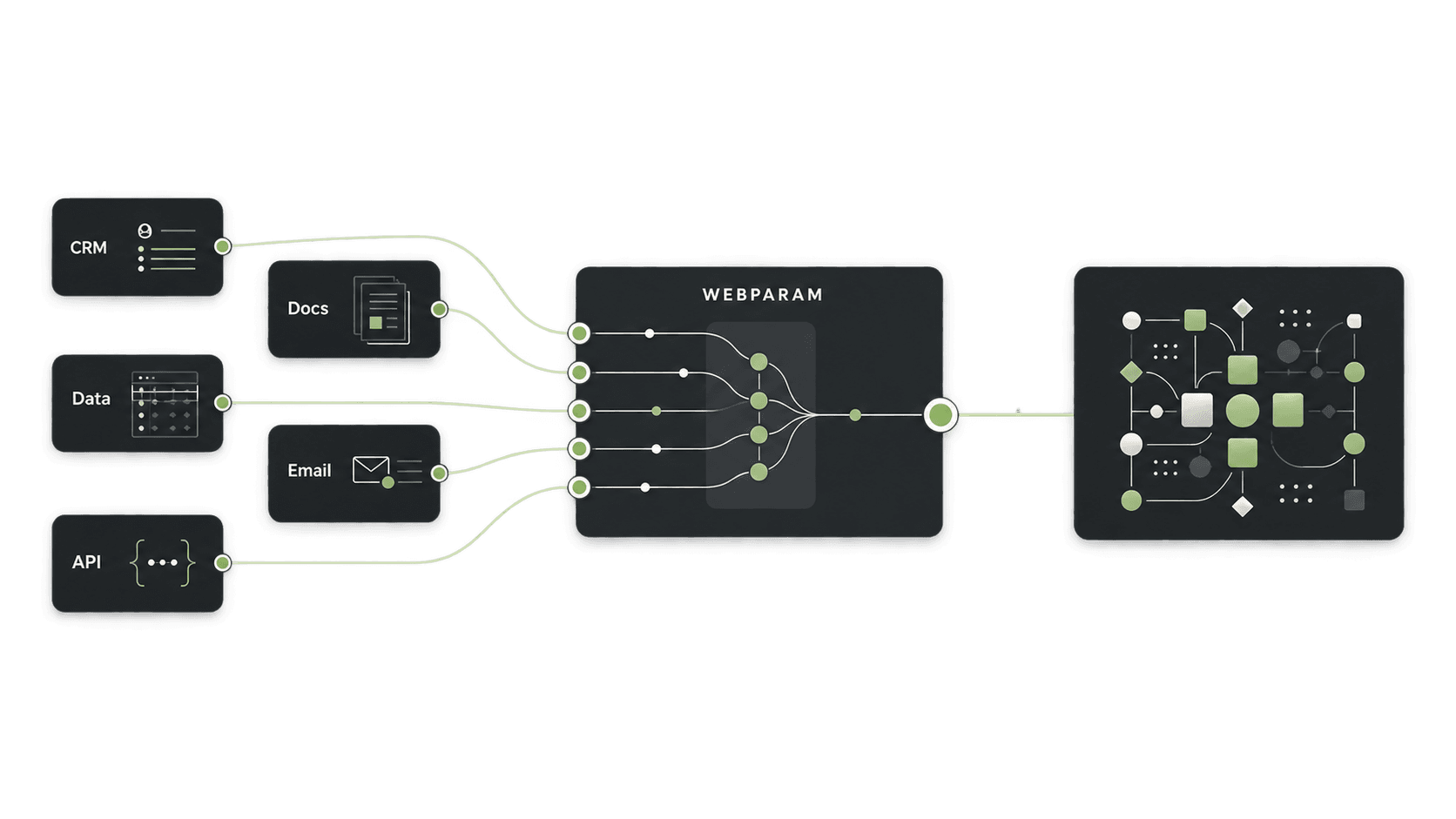
An illustration of existing business systems connected to an AI capability layer.

What does AI integration actually mean?

Three parts. Integration is the work of joining the first to the third through the second.

Your systems

  • CRM
  • Databases
  • Documents
  • Internal tools
  • APIs
  • Email

AI capability

  • Language
  • Reasoning
  • Vision
  • Agents
  • Embeddings

Business action

  • Update a record
  • Classify a request
  • Retrieve information
  • Generate a response
  • Trigger a workflow

What can AI connect to?

At a capability level. What is possible for a specific product depends on the interfaces it offers.

  • CRM systems

  • Databases

  • Internal APIs

  • Documents

  • Email

  • Knowledge bases

  • Internal business applications

  • Approval workflows

Disconnected versus integrated

The same systems, with and without a layer that lets AI reach them.

Before

  • CRM
  • Documents
  • Email
  • Database

Each one useful, none of them reachable by an AI system.

After

  1. CRM, documents, email, database, APIs
  2. Integration layer
  3. AI capability
  4. Business action

What integration can enable

  • AI inside existing workflows

    Capability that appears where the work already happens, not in a separate tool.

  • AI using company information

    Answers and actions grounded in your own data rather than in general knowledge.

  • AI updating business systems

    Results written back to the system of record, not left in a chat window.

  • AI triggering actions

    An outcome starting the next step, rather than waiting for a person to notice.

  • AI coordinating across systems

    Work that spans more than one system handled as one process.

Choose the right model for the job

Different steps of an integration reward different models. The catalogue is where that comparison starts.

Explore models

Reading a scanned document, classifying an email, searching your own material and reasoning about what to do next are four different jobs. They are rarely best served by the same model, and an integration often uses more than one.

Compare providers →

Integration explorer

Where would AI sit in your systems?

Three choices, one drawn pattern. Runs entirely in your browser — nothing is sent anywhere.

Step 1

What system holds the information?

Step 2

What should AI do?

Answer step 1 first.

Step 3

What should happen afterwards?

Answer step 2 first.

How Webparam approaches integration

  1. Understand

    What the systems are, what they expose, and what the process actually needs from them.

  2. Connect

    Establish reliable access to the data and the actions, with the right permissions.

  3. Add AI

    Apply the capability the job needs at the step that needs it, and nowhere else.

  4. Operate

    Run it, watch what it does in practice, and improve it against real use.

Integration versus replacement

You may not need to replace your current software.

  1. Existing systems
  2. AI capability
  3. Integration
  4. AI-enabled operation

Software that already works represents years of process knowledge, and replacing it to adopt AI is usually the most expensive route to the smallest gain. Where a system exposes its data and its actions, AI can generally be added alongside it. Where it does not, that constraint is worth knowing early — which is what the first conversation is for.

Explore AI by capability

Grouped by what each model is built for, which maps closely to the steps an integration needs.

All categories

Integrating from South Africa

Integration raises questions that are worth answering before a build: which information leaves your systems, where processing happens, and what that means under your own data policies. Latency matters too wherever a person is waiting on a response rather than a batch job running overnight.

These are considerations to work through rather than blockers, and the sensible provider choice often follows from them rather than the other way round.

  • What AI actually costs in South Africa
    What AI actually costs in South Africa
    Provider Deep Dives1 min read

    What AI actually costs in South Africa

    Rand-denominated budgets, dollar-denominated APIs, and the costs South African teams keep missing.

    Amara Okafor · August 5, 2026
  • Choosing an AI provider from South Africa: latency, rand pricing, and data residency
    Provider Deep Dives3 mins read

    Choosing an AI provider from South Africa: latency, rand pricing, and data residency

    A local region doesn't mean local inference, a rand invoice doesn't mean rand exposure, and POPIA doesn't require in-country processing. The three questions South African teams should answer before committing to an AI provider.

    Amara Okafor · August 4, 2026

Frequently asked questions

What is AI integration?

AI integration is connecting AI capability to the systems, data and workflows a business already uses, so that it can work with real company information and act on the results. Without it, an AI system is a separate tool a person has to copy things into and out of.

Can AI connect to our existing business systems?

In most cases, yes. At a capability level that covers CRMs, databases, internal APIs, document stores, email, knowledge bases, internal applications and approval workflows. What is possible for a particular system depends on what that system exposes, which is one of the first things a scoping conversation establishes.

Do we need to replace our current software?

Usually not. Integration is specifically the alternative to replacement: AI capability is added alongside what you run rather than instead of it. Whether that holds in a specific case depends on what your systems allow, but replacing working software is not the starting assumption.

Can AI use our existing company data?

Yes — that is generally the point. A retrieval approach lets a system find the relevant material in your own documents or records first and then answer from it, which is what makes answers specific to your business rather than generic.

Can Webparam work with different AI providers?

Yes. The work is not tied to a single vendor, and the catalogue on this site exists so models and providers can be compared against the job in front of you rather than chosen by reputation.

What systems can AI integrate with?

Described by capability: CRM systems, databases, internal APIs, document stores, email, knowledge bases, internal business applications and approval workflows. The practical answer for any specific product depends on the interfaces it offers.

How do we start an AI integration project?

Identify one place where information has to be moved by hand between a system and a person, then send your details through the form on this page. The first call is a free 45-minute conversation about that connection.

Start with one connection

Pick the place where information gets moved by hand. Free 45-minute call, no obligation.

Free consultation

Tell us what you're building

Answer six questions and pick a time. No charge, no obligation.

Organisation Type
What are you interested in?
Length
45 minutes
Cost
Free
Where
Google Meet

Would rather just email? support@webparam.org